Commercial chatbot: qualify leads and increase sales without losing control of your data
Commercial chatbot: qualify leads and increase sales without losing control of your data
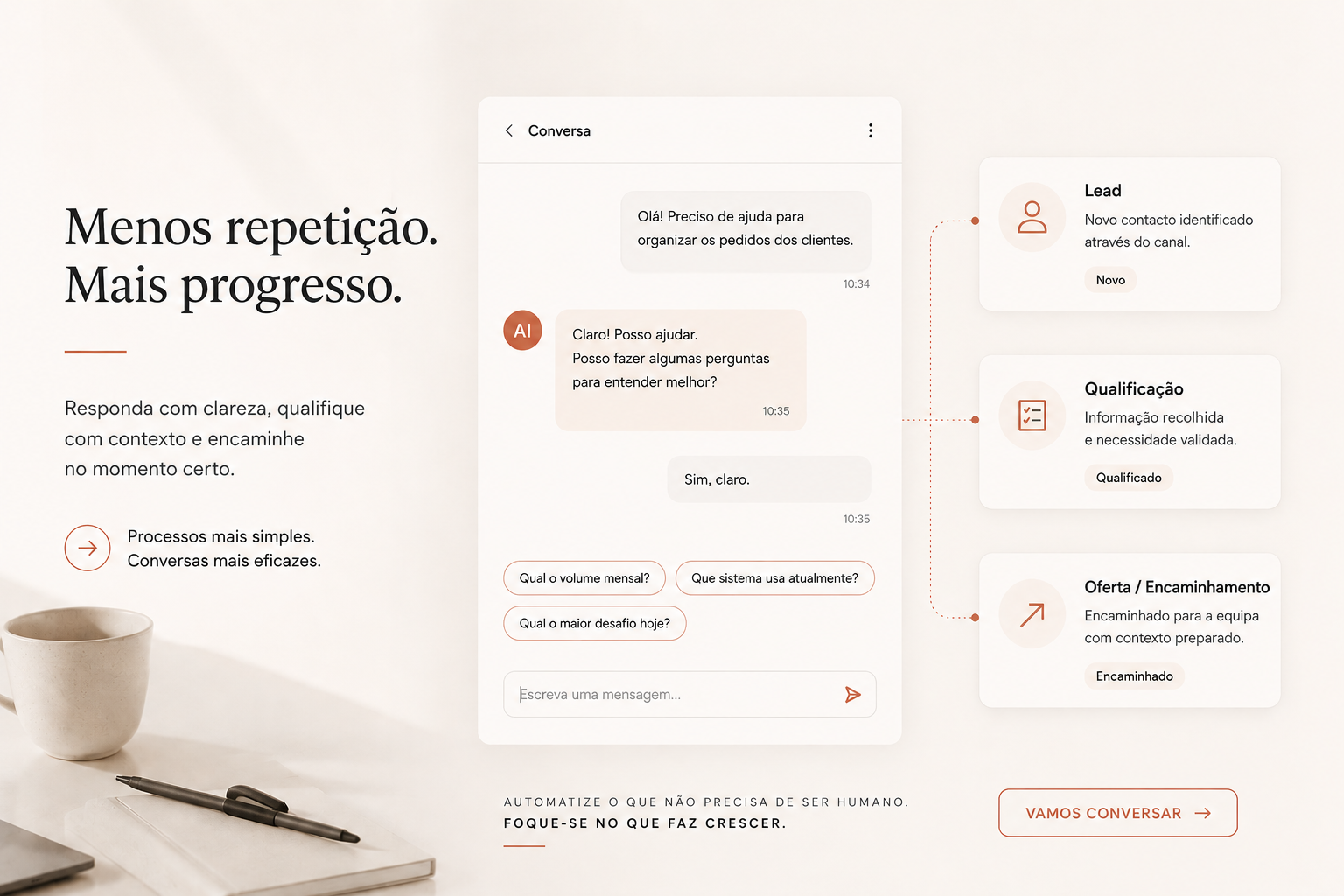
There is an overly simple version of the chatbot story: add a widget to the website, connect it to an AI model, and the company starts answering everyone better.
In practice, the result is often less pretty. The bot does not know which offers are active. It confuses prices, dates, availability, or conditions. It does not know which links to use. It answers with outdated information. The sales team stops trusting it. Visitors ask normal questions and get vague replies.
When that happens, the problem is rarely just “the model.” Very often, the problem comes before that: the company has not defined what the chatbot should always know, what it should retrieve only when needed, and which answers should be routed to a person.
That is the central decision in a good commercial chatbot use case. The goal is not to install a decorative widget. It is to create a living commercial layer: answer frequent questions, qualify visitors, support buying decisions, capture leads, and route opportunities using information the team can actually maintain.
The false start: putting a bot on the website
“We want a chatbot” sounds like a technical request, but it is almost always an operational request in disguise.
A visitor asks:
- What options are available?
- What is the price?
- Is there availability?
- What is the difference between plans, services, or products?
- Is this right for my case?
- Can I buy now?
- Can I talk to someone?
To answer well, the chatbot needs more than natural language. It needs current information, commercial rules, context about the offer, and a way to route the user when there is real intent.
If that data is scattered across documents, tables, PDFs, old pages, internal messages, and team memory, the bot will inherit the confusion.
Before tuning answers, the company needs to organize what the assistant should know.
The right knowledge at the right moment
The solution can be technically sophisticated underneath, but it has to be practical for the people running the business every day.
A commercial or operations team should not need to open code to correct a price, update a date, change a communication rule, adjust a condition, or tune how the assistant speaks. If every change depends on development, the chatbot ages quickly.
In this kind of project, knowledge design matters as much as the model. The persona should always be present: tone, behavior, limits, commercial rules, and criteria for routing to a human.
Everything else does not need to sit in the context at the same time. Tables, PDFs, internal pages, catalogs, policies, terms, price lists, technical materials, or product documentation should be retrieved when the conversation signals that the information is needed.
This avoids two common problems. First, an overly large context that is expensive and hard to control. Second, too much information pulling the model toward plausible answers that do not actually match the visitor’s need.
A practical design often looks like this:
- persona and base rules always available;
- knowledge sources maintained by the team in simple formats, such as tables, documents, or PDFs;
- triggers that decide when to consult each source;
- answers grounded in the relevant excerpt, not the entire archive;
- human handoff when the question requires confirmation, negotiation, or commercial responsibility.
This gives the team ownership. The chatbot is still technology, of course, but the knowledge stays in a format people can maintain and the model retrieves only what makes sense for that conversation.
Staging, testing, and guardrails are not luxuries
Another common mistake is publishing the chatbot directly on the website and “seeing how it goes.” That path turns real visitors into involuntary testers.
A commercial AI layer needs a minimum validation cycle. That should include staging, internal tests, evaluation datasets, guardrails, and review of answers before go-live.
The goal is not perfection. The goal is to reduce predictable wrong answers before potential customers see them.
There are questions the assistant should answer. There are questions it should route. There are topics where it should be careful. There are situations where it should admit limits and ask for human contact.
This matters especially when the chatbot discusses prices, availability, commercial conditions, eligibility, timelines, or direct purchase. A friendly but wrong answer can create extra sales work, customer friction, and loss of internal trust.
Leads, checkout, and follow-up close the loop
A commercial chatbot should not exist only to “chat.” It should help the visitor move forward.
In the design of this kind of assistant, that can mean:
- collecting and registering leads in a structured way;
- qualifying intent, urgency, profile, and need;
- routing to direct purchase when the right link exists;
- giving the sales team useful context for follow-up;
- identifying frequent questions that the website still does not answer well.
This connection matters because it changes the bot’s role. It stops being an isolated website layer and becomes part of the commercial funnel.
When someone has a simple question, the assistant can answer. When there is buying intent, it can guide. When information is missing, it can capture the lead for the team. When there is a direct link, it can reduce friction.
None of this replaces the sales team. It removes repetitive noise and gives the team better context for follow-up.
Improvement comes from real conversations
After launch, a chatbot is not “done.” It is in operation.
Real conversations reveal questions the team did not anticipate, offers that need better descriptions, missing links, ambiguous data, and commercial opportunities that were not visible in the initial brief.
That is why the solution should include conversation logging by session and a continuous improvement process. This is one of the differences between treating AI as a one-off project and treating it as an operating system.
A good commercial chatbot should learn indirectly from operations: not in the magical sense of changing itself without control, but in the practical sense of showing where information needs to improve.
If users keep asking the same thing, maybe the public page is incomplete. If the bot hesitates on availability, maybe the data source needs clearer fields. If many visitors ask about pricing, conditions, or comparisons between options, maybe that information needs to be closer to the decision point.
The lesson for companies that want chatbots
Before choosing a platform, model, or widget, it is worth answering less flashy questions:
- Where is the information the chatbot should use?
- Who maintains it?
- How often does it change?
- Which answers are critical to the business?
- Which questions should go to a human?
- Which lead data should be captured?
- How do we test a change before publishing it?
- How do we learn from real conversations?
If the company cannot answer this, the bot will look smart in the demo and fragile in production.
The serious work starts with well-organized and well-retrieved knowledge. Good bots, dashboards, and automations depend on simple, accessible, well-maintained data, but also on knowing when each source should enter the conversation.
If your chatbot does not know how to answer, maybe the problem is the data feeding it. And that is good news: operational data can be organized, processes can be defined, and AI can start working with the company instead of improvising on top of it.
That bridge between operations, data, and implementation is exactly what I build in my services.